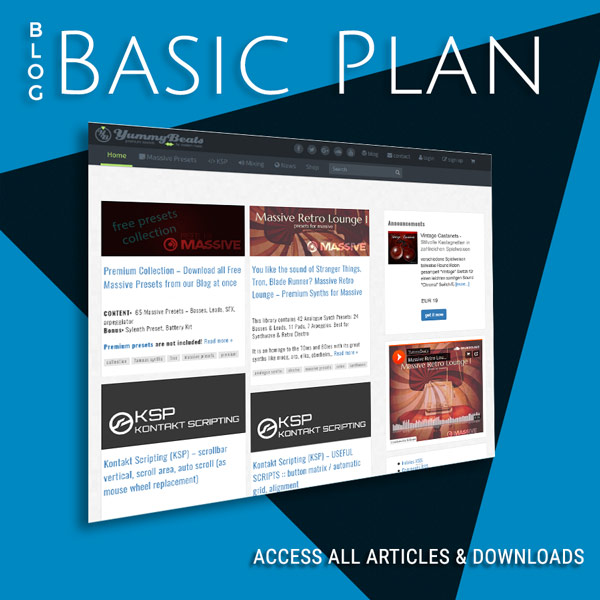
Learn how to create complex UIs & functions with full Tutorials and scripts for download

Kontakt Scripting (KSP) :: TOOLS :: midi note numbers table / midi key codes table
This table lists all midi note numbers for all octaves from -2 to +8. You may need it for any note commands like changing specific key colors etc.
Kontakt Scripting (KSP) :: on mouse release event – 3 different methods
Currently there’s no way to monitor real mouse events in Kontakt … only partly since Kontakt 6, which is introduced in this Drag & Drop Script. In general we can only simulate a mouse release event via some workarounds. In this article we will introduce 3 different methods.
Kontakt Scripting (KSP) :: BASICS :: commands – set_engine_par()
The set_engine_par() command is used to control or set almost any engine parameters like volume, pan, tune, fx, lfo’s, envelopes and more. So wiht this command we actually control Kontakt via our custom UI. So set_engine_par() is mostly used in combination with the on ui_control callback whenever we use custom knobs or buttons to control […]
Kontakt Scripting (KSP) :: Sublime Text – how to work with macros, tutorial
in this tutorial we will work with sublime text and macros. A macro works almost like a function. We use them like functions and we can use arguments to pass expressions to alter or individualize several parameters inside a macro.
KSP Scripting (Kontakt) :: Custom UI :: Switchable, Dynamic Wallpaper via set_skin_offset()
this tutorial is based on the Wallpaper and the Dynamic Wallpaper (via label element) tutorial. Actually once the initial wallpaper is set we can’t change it anymore but we can move the wallpaper image vertically via set_skin_offset(). So if we create a wallpaper sprite which is as double as high as our ui_size (in this case […]
Kontakt Scripting (KSP) :: How to install Sublime Text, setting it up for the first time & compiling your code
You get Sublime Text from https://www.sublimetext.com/ Note: you can use it without any restrictions but you still need to buy a license. It’s really worth it! Thx to Nils Liberg and nojanath who created a KSP plugin for Sublime Text with many new possibilities like macros, for statements, functions and many more, using Sublime is almost […]
Kontakt Scripting (KSP) :: watchdog timer – change knob or slider labels on mouse events (on click, on release) [dynamic labels]
In this tutorial we will learn how to dynamically change labels and display the knob’s current value for the time the knob gets moved. After releasing the knob the default label shows up again after a certain delay. See video Also see these more conveniant solutions, using less code
Kontakt Scripting (KSP) :: Custom UI :: Buttons & Animations (on, off, pressed, mouse over states)
in this tutorial we will create “animated” buttons for Kontakt 5 or 6 with the following states: off on pressed off pressed on mouse hover off mouse hover on
Kontakt Scripting (KSP) :: Custom UI :: Complex User Interface with multiple Screens/Menus inside one Script Tab
In this Complex User Interface tutorial we will build a fully functional UI with multiple Screens: main screen, FX screen and about screen. Whereas the FX screen holds a sub menu for two different FX: a LoPass filter and a LoFi FX.
Kontakt Scripting (KSP) :: Fonts – List All Font Types, Tool for Kontakt 5,6 (and up)
If you are missing a detailed list of all Kontakt fonts, here is a little tool for you. This is a simple nki for Kontakt 5 which lets you display all font types on miscellaneous background colors for better readability. UPDATE: since Kontakt 6 we can now create and use own fonts. Read this tutorial […]
KSP Scripting (Kontakt) :: Custom UI: Switchable, Dynamic Background Image / Wallpaper (via label element)
Unfortunately once the initial wallpaper is set, we can’t alter the image file anymore. Even not by setting different initial wallpapers for each script tab. Because the last applied wallpaper will be the one and only initial wallpaper for the whole instrument. But we can either offset the initial wallpaper that means moving it via […]
KSP Scripting (Kontakt) :: Custom UI: positioning controls (Grid vs. Pixel)
to create your custom UI and place custom controls you can chose between a grid system or exact pixels.
KSP Scripting (Kontakt) :: Custom UI: Background Image / Wallpaper
The instruments background image is called “wallpaper”. Its’ the basic background texture where all UI elements (knobs, buttons etc) get layered on top. Just to give you an example: we could take our default graphic software and design a realistic synth surface wallpaper (png file) containing “sockets” for some knobs and buttons with detailed shadows, […]
KSP Scripting (NI Kontakt) :: BASICS :: Variables, Arrays, Constants
Like with any other programming languages in KSP there are also variables, arrays and constants. They can only be declared inside the on init callback and can then be used throughout the whole script. So they are all on global scope by default and can even be used inside custom functions.
KSP Scripting (NI Kontakt) :: BASICS :: Callbacks & Basic Structure
The Basic code structure is very simple. We basicaly put most of our code into callbacks All callbacks look like this on <callback> … end on code inside callbacks gets executed when specific events happen. e.g. playing a note on our keyboard always executes the “on note” callback. callbacks are vastly needed to communicate with […]
KSP Scripting (NI Kontakt) :: BASICS :: Create a Resource Container & Publishing your Release
Before we start scripting we should create a resource container where we put in all the files we need for our instrument (e.g graphic files or impulse responses etc.)